For small trucking fleets
Where’s my truck? Where’s the POD? Where’s my detention pay?
FleetView Hub puts every answer in one place. FleetView AI reads the broker’s rate con and fills in the load, and you confirm it. Your driver taps Arrived and Left at each stop and sends the POD (proof of delivery) from the dock. Every DOT date sits on one screen.
30 days free. No card needed. Cancel anytime.
- No GPS box
- No contract
- Your rates stay private
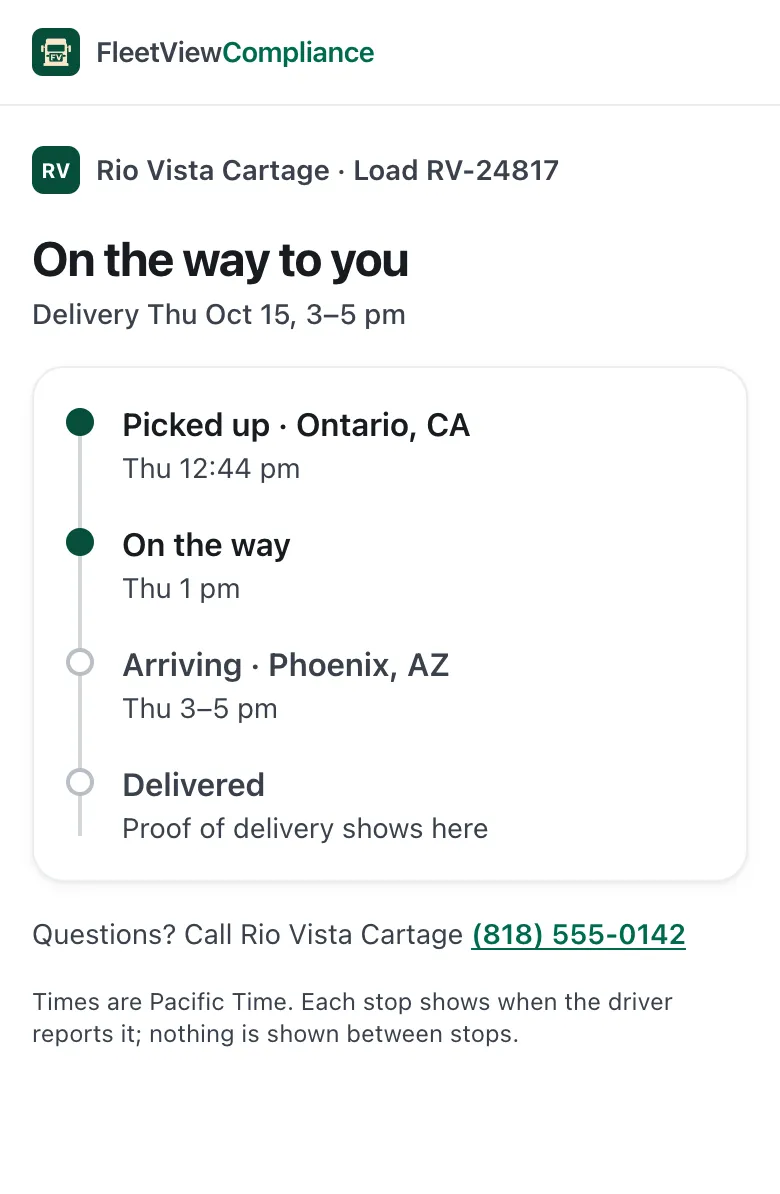
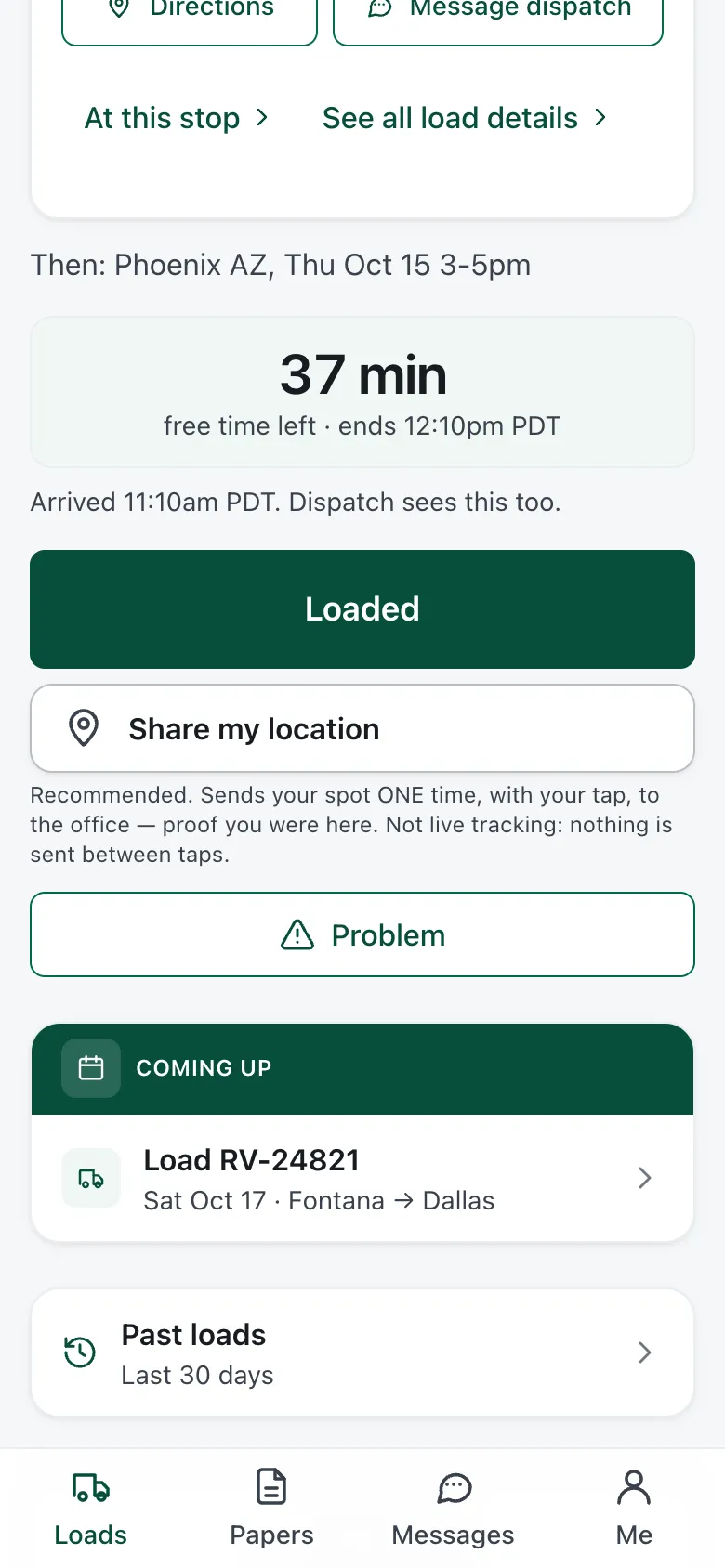
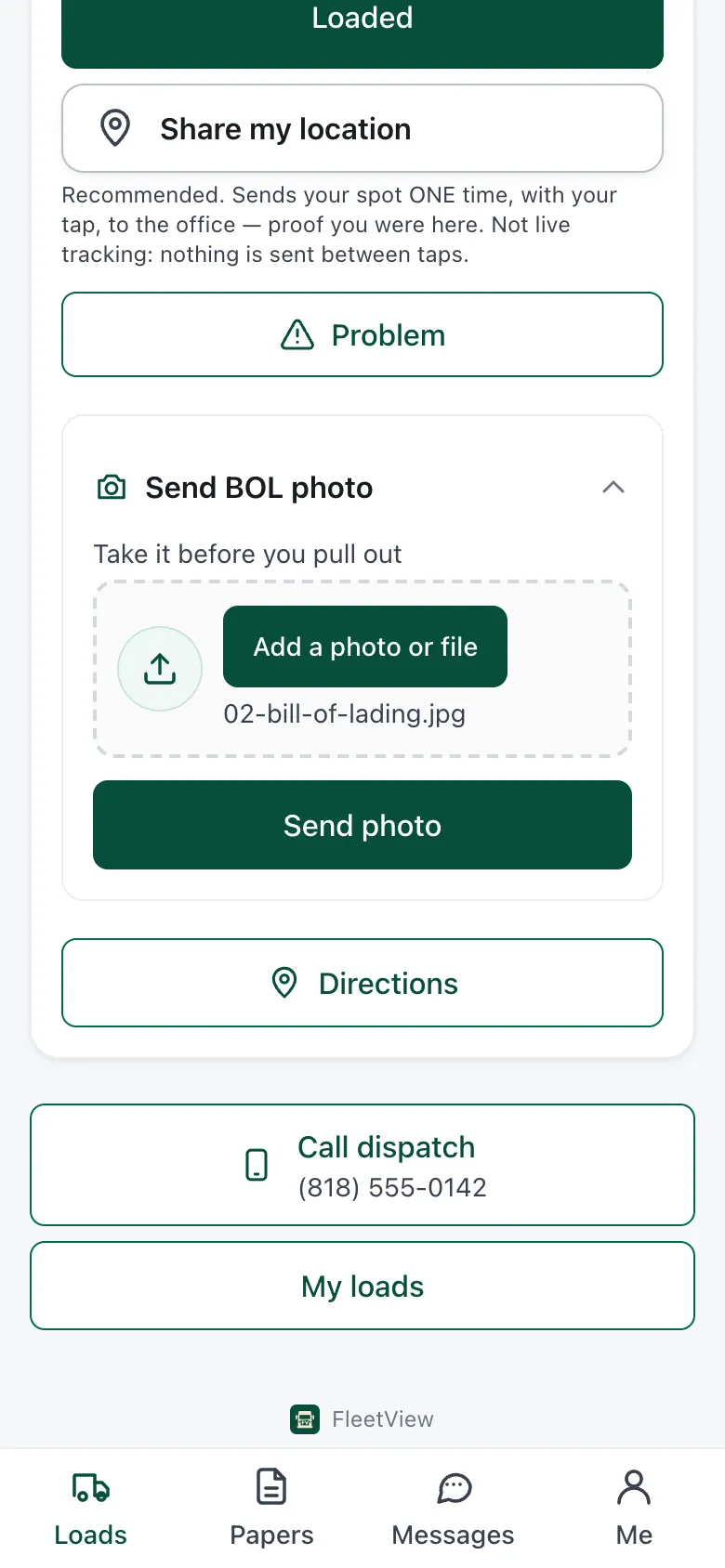
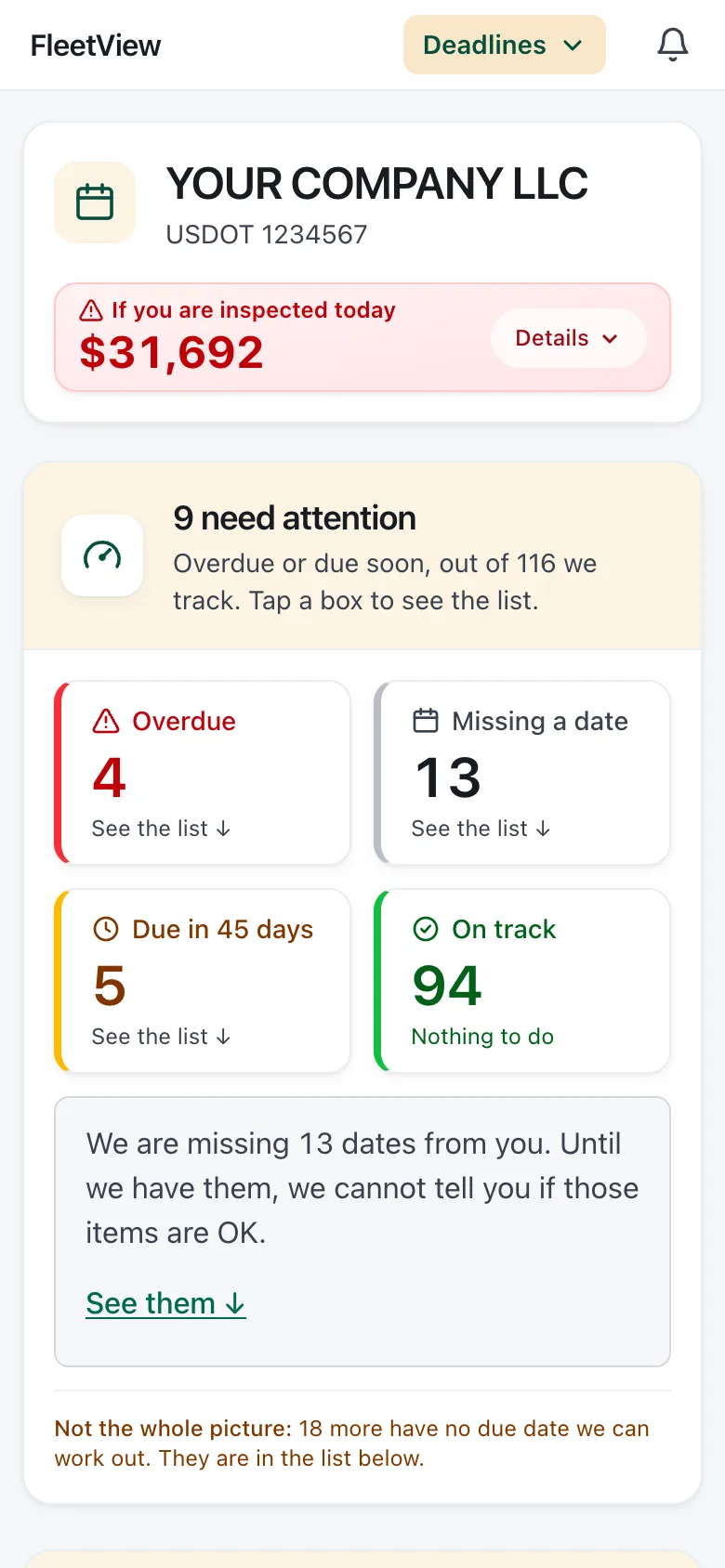
Pick a job and see the real screen.
Every picture here is the real FleetView, with sample data.
No more typing in rate cons.
FleetView AI reads the rate con you drop in, from a PDF, a photo or text pasted from an email, and you confirm the load before it is booked.
How booking works →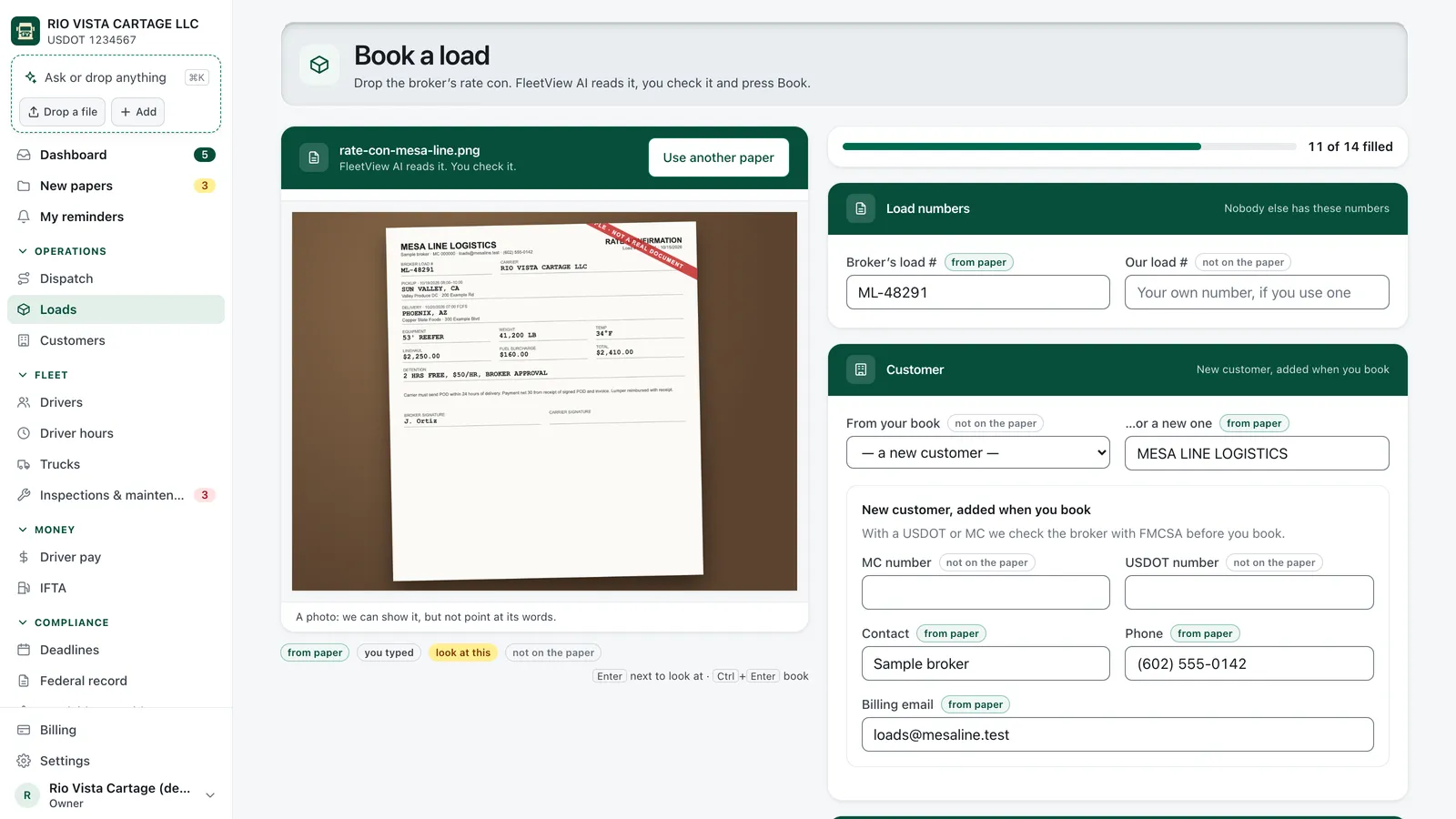
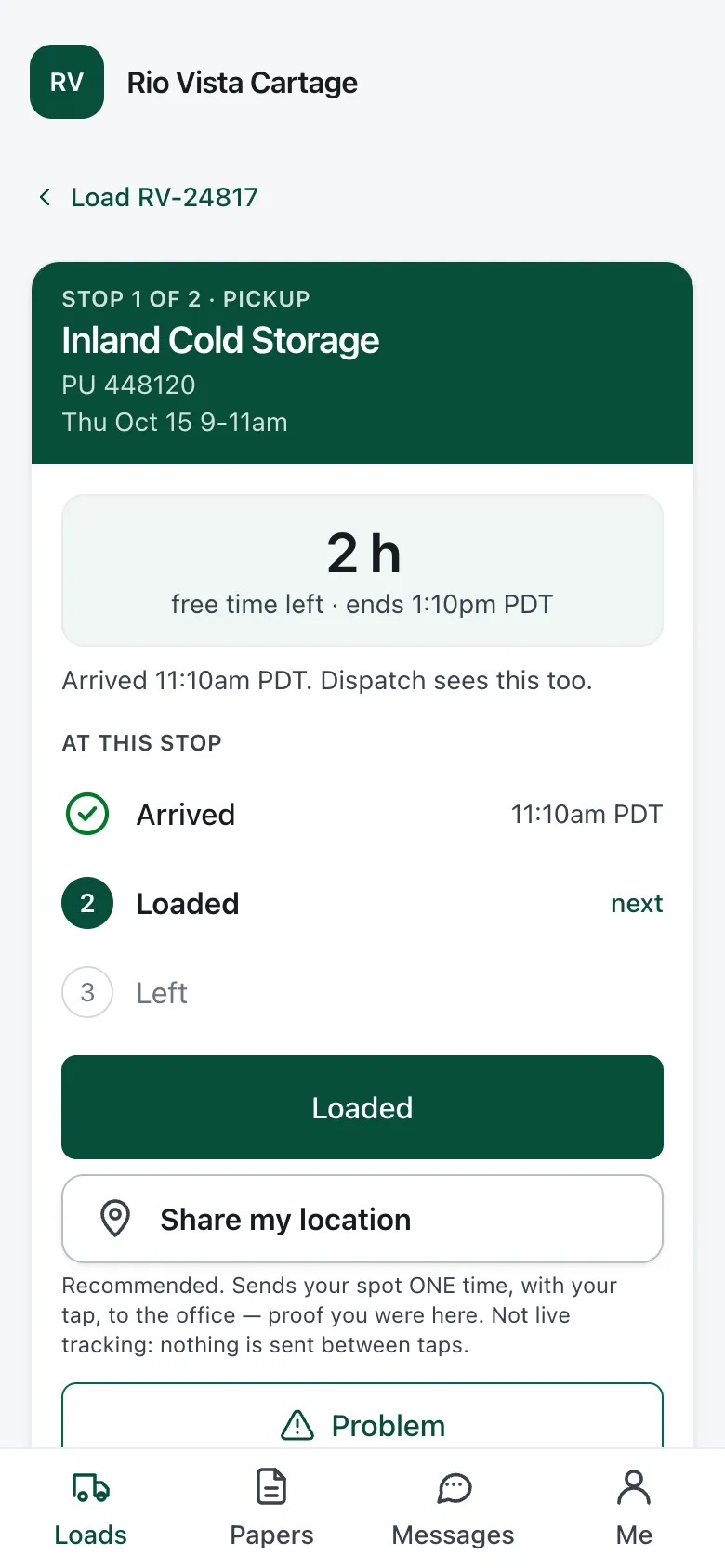
Your driver gets the whole trip on their own phone.
Your driver sees the stops, the papers and your messages, but never what the load pays.
Tour the driver app →Charge for the wait, with the times to prove it.
Your driver’s Arrived and Left taps give the times, and FleetView works out the detention for you to add to the invoice or leave off.
How billing works →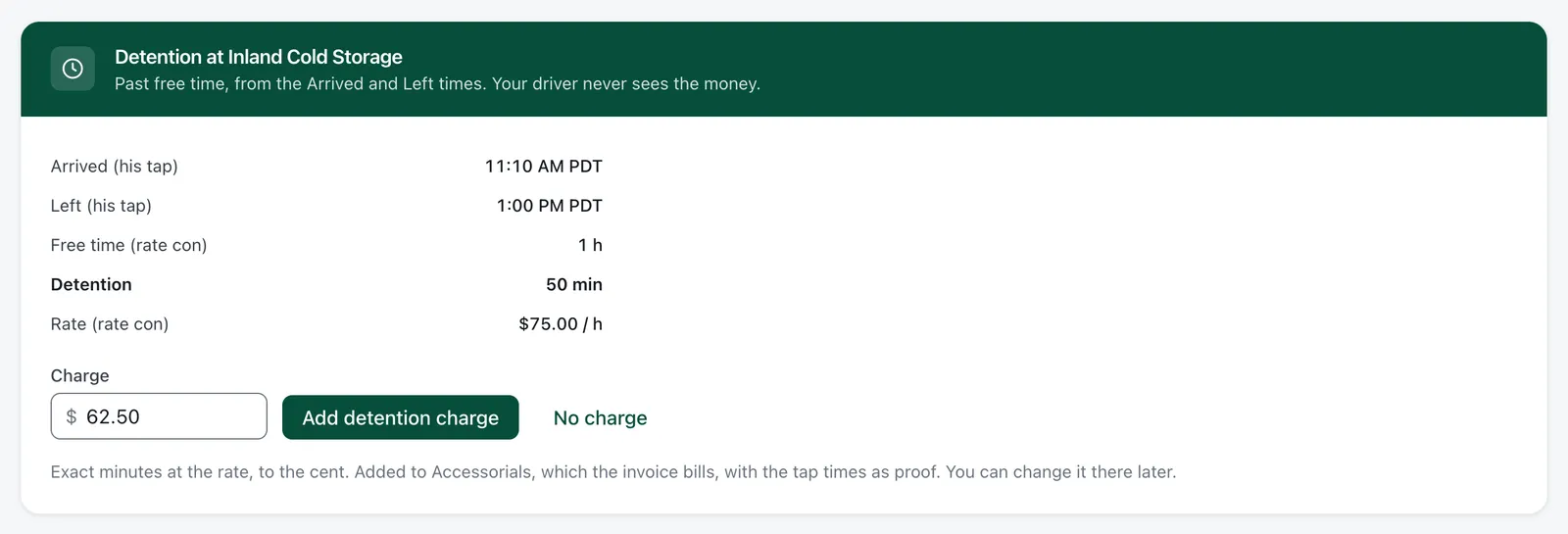
See every DOT date coming, weeks ahead.
FleetView puts the next date due at the top and flags every date nobody entered, so you have time to act.
How DOT dates work →FleetView uses public FMCSA data. We are not affiliated with the FMCSA or the U.S. DOT.
See it in 60 seconds.
The rate con, the driver’s taps, the detention and the DOT dates, with sample data.
Set up in one evening.
Step 1: Type your DOT number
Your company, address, authority and fleet size come in from the federal record.
Step 2: Invite your drivers
Send each driver an invite by text, email or link.
Step 3: Drop your first rate con
Check the filled-in load and book it. It goes straight to your driver.
The price is public. FleetView has one plan, priced by the truck, with no setup fee and no sales call.
See the price for your fleet →And the rest of your week.
- Daily truck check
- Driver pay
- Expenses
- IFTA miles and fuel
- Accident register
- Truck papers in the cab
- Your own reminders
Straight answers
Does it track my trucks by GPS?
No. Nothing is installed in the truck. You follow the load through the steps your driver reports, and a location goes with a step only when your driver has chosen to share it.
What if I already use an ELD?
Yes, use it as before. FleetView is not an ELD, will not become one, and never edits logs. When you send a load, FleetView estimates whether your driver has the hours for it. For hours of service, your driver’s ELD is what counts.
I do not run in California. Is this for me?
Yes. Most rules in FleetView are federal (41 of 58), from driver files to yearly filings, and they apply wherever you run. The other 13 are California rules, and you never see them unless you run there.
Do you file my paperwork for me?
No. FleetView shows what is due, which form it is and where it goes. You file it, or the service you use now files it.
Do you bill the broker for me?
No. FleetView makes the invoice. You download it and send it yourself.
Start with your next load.
Drop your next rate con and watch it reach your driver’s phone. Or look up your USDOT number. No account needed.
30 days free. No card needed. Cancel anytime.